The world’s first true Executive Intelligence Hub — access, analyze, and act on enterprise data through natural conversation.
Platform Overview
Omnia converges three proven technologies: N2N’s Illuminate API Integration Platform, AI-Powered Non-Relational UNDB, and LightLeapAI ® conversational intelligence. Together they create an omniscient decision-making companion for leaders.
Illuminate Integration
Universal data gateway connecting Omnia to ERP, SaaS, and legacy systems with real-time connectivity and enterprise-grade security.
UNDB Data Architecture
Vector embeddings, graph relationships, and document intelligence so you query in plain language instead of dashboards and SQL.
LightLeapAI ®
Conversational intelligence built for executive communication — voice, text, and context-aware responses with actionable insights.
Security, Safety & Ethics in the Age of AI
Make AI Accountable by Design.
A big part of why we’re building Omnia is our commitment to governance that keeps pace with AI. We presented our approach at Quantum Leap 2026: user-directed governance for models, data, and context in enterprise AI.
Announcement & Closing Comments
Watch the full Omnia announcement and closing comments from Quantum Leap 2026.
Transparency
Users and admins see what data informed the AI response. No opaque context.
Least Privilege
The AI only sees what is needed — for this user, right now. Scoped resources, filters, and masking by default.
Auditability
Every invocation is traceable. Reconstruct who used what, when, and why — defensible compliance.
The challenge
AI adoption is accelerating faster than governance. That leads to opaque context, over-permissioned access, hidden model selection, and weak auditability — so you can’t reconstruct who used what, when, or why.
Our answer: governance that decides what the AI is allowed to know — before it responds.
Integrated Context Control Protocol (ICCP)
ICCP sits between the user and model endpoints. It enforces model control (approved models, hard constraints, routing by compliance and cost), context control (selectable resources, filters, TTL, masking, least-privilege by default), and audit control (trace every invocation, reconstruct context packets, defensible compliance).
Context packets are immutable and deterministic — fully reconstructable for audits and compliance profiles (e.g. FERPA, HIPAA, institutional confidential).
Context scoping
Filters (e.g. department, cohort, assigned advisees), time-to-live so context expires quickly, and role-based masking so sensitive fields stay redacted. This is the difference between “RAG” and governable institutional AI.
Audit & compliance
Every invocation logs trace_id, model and resource access, policy decisions, and a tamper-evident context hash. WORM/immutable logs, SIEM integration, and redaction-first logging support FERPA, HIPAA, and institutional confidential modes.
Omnia is designed to adopt ICCP — whether embedded in the app tier, as a central AI context gateway, or in a federated cross-institution model. Open protocol, so governance is explicit and portable; enterprise-ready engine and tooling from N2N.
Decision speed, data access, and strategic planning — transformed for the C-suite.
75%reduction in time from question to actionable insight
90%reduction in time to access enterprise information
60%improvement in meeting preparation and follow-up
50%faster scenario analysis and planning cycles
See it in action
A live conversation with Omnia.
A captured end-to-end demo of an Omnia conversation — the device, the on-device pipeline, and the conversational responses, in real time. Press play.
2 min 20 sec · Captured from a live Omnia session.
Walk through Omnia
A device. An avatar. Your institution's knowledge.
Real screens from the Omnia pilot. The same canvas powers the executive desk, the front-of-house display, and the avatar-led student-services kiosk.
01 / 07·Device · Idle
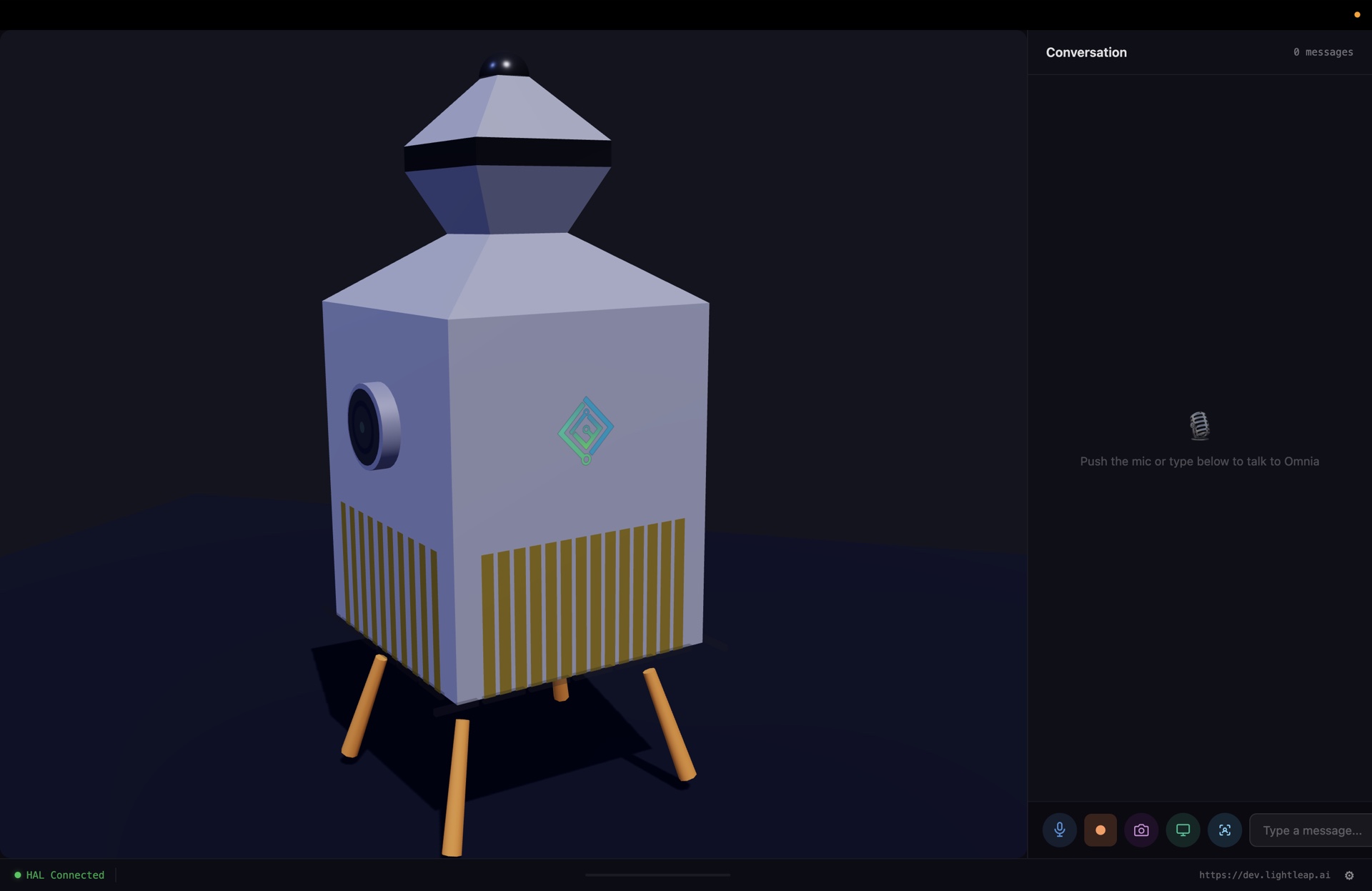
The Omnia device, waiting for a question.
Every Omnia install begins with the device — a low-poly companion that lives on your desk or in the lobby. Push the mic or type below, and Omnia is listening with full ICCP-governed context behind it.
dev.lightleap.ai
Push the mic or type. The device is always on. Always governed.
02 / 07·Conversation · Hologram
Ask. Answer. Project.
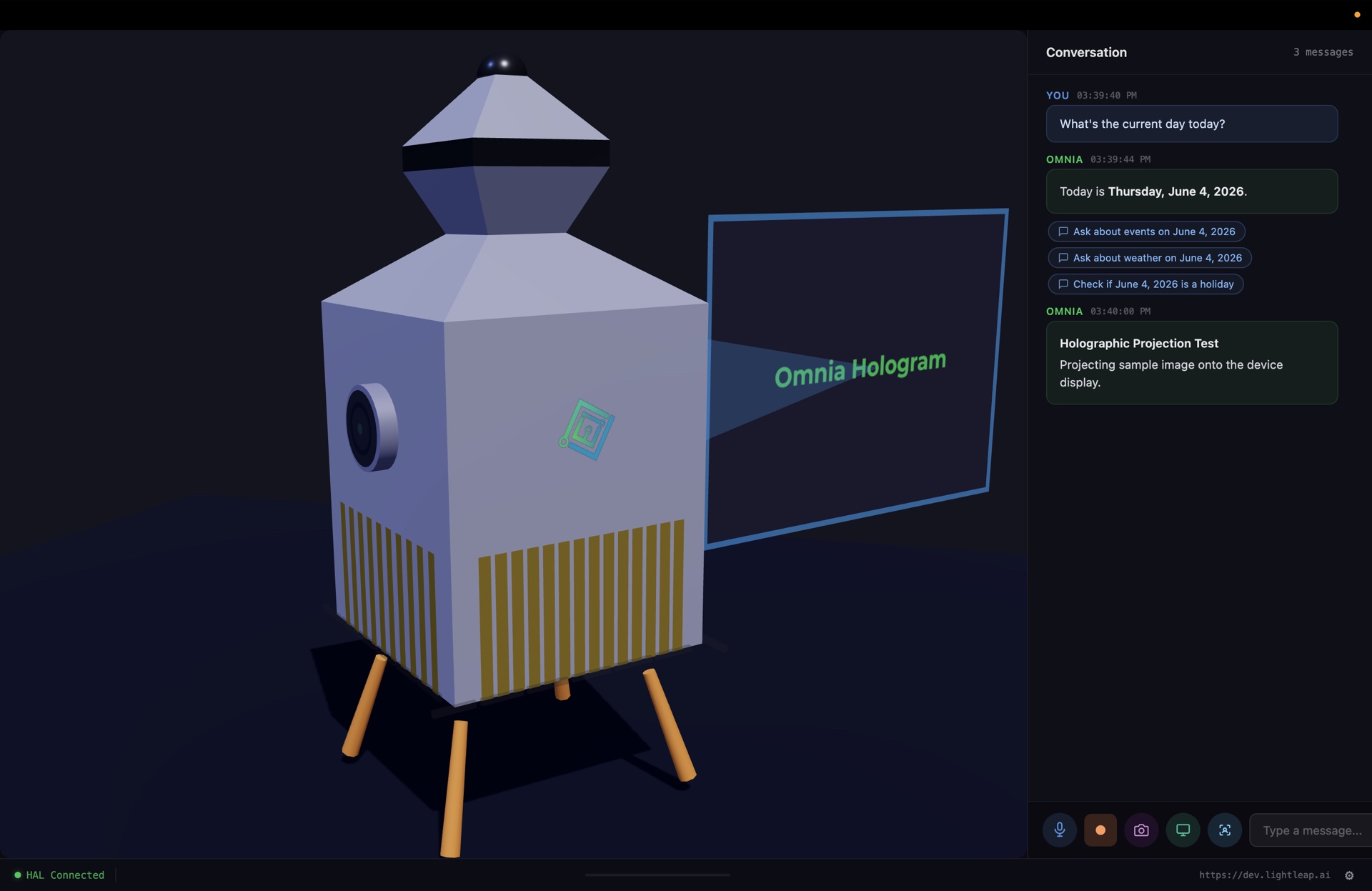
Ask Omnia a question and it answers in the conversation panel — and, when relevant, projects a contextual hologram beside the device. Quick-reply chips keep the next step one tap away.
dev.lightleap.ai
Date, weather, holiday — answered, then projected.
03 / 07·Orion · Biometric · Fraud · Trust
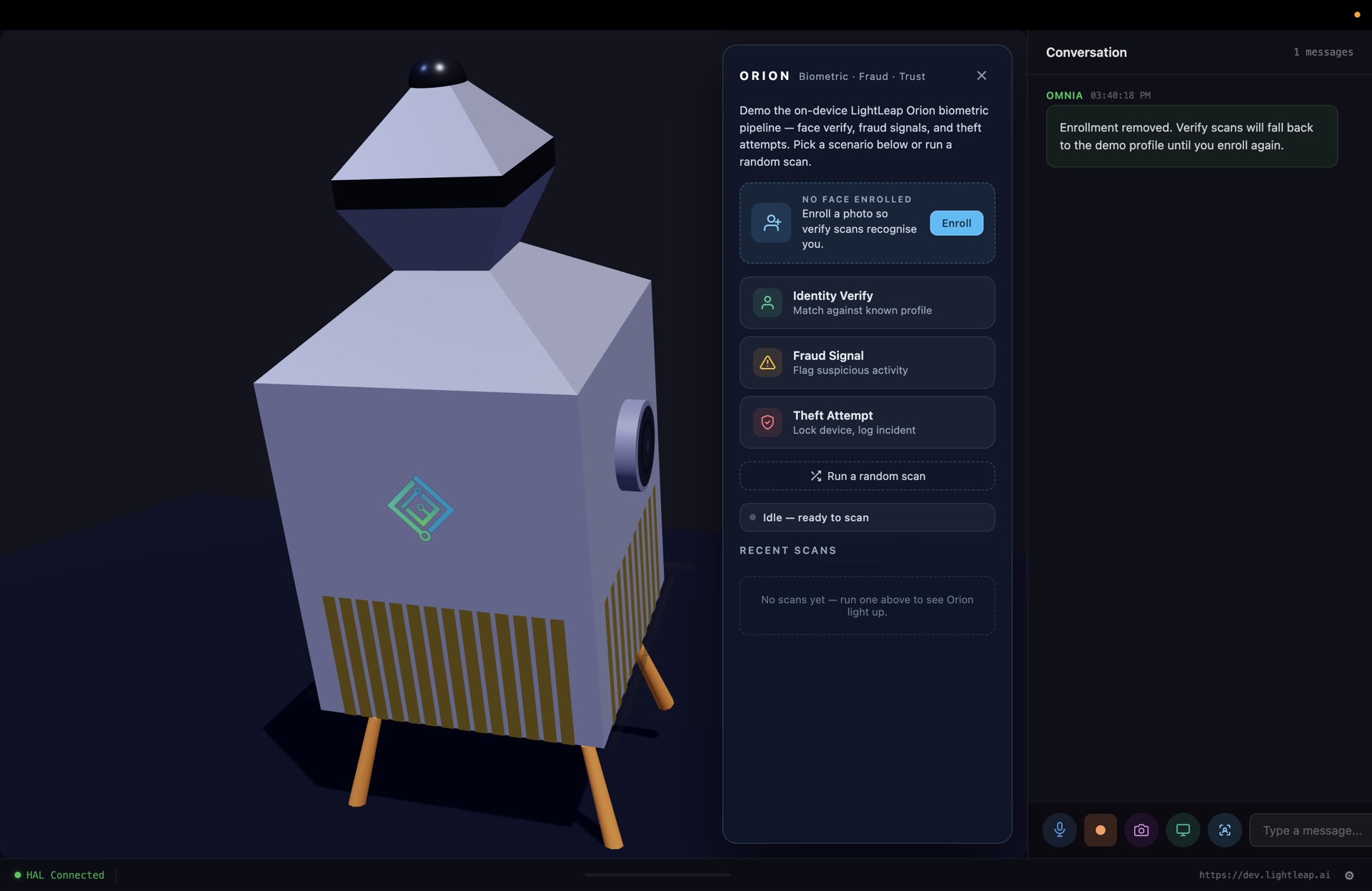
On-device biometric verification, by Orion.
Omnia is the surface; Orion is the engine. The device runs the on-device Orion biometric pipeline — face verify, fraud-signal scoring, theft-attempt detection — all processed locally so verify scans never leave the device.
dev.lightleap.ai
Identity Verify · Fraud Signal · Theft Attempt — locally, never uploaded.
04 / 07·Enrollment · Stored on device
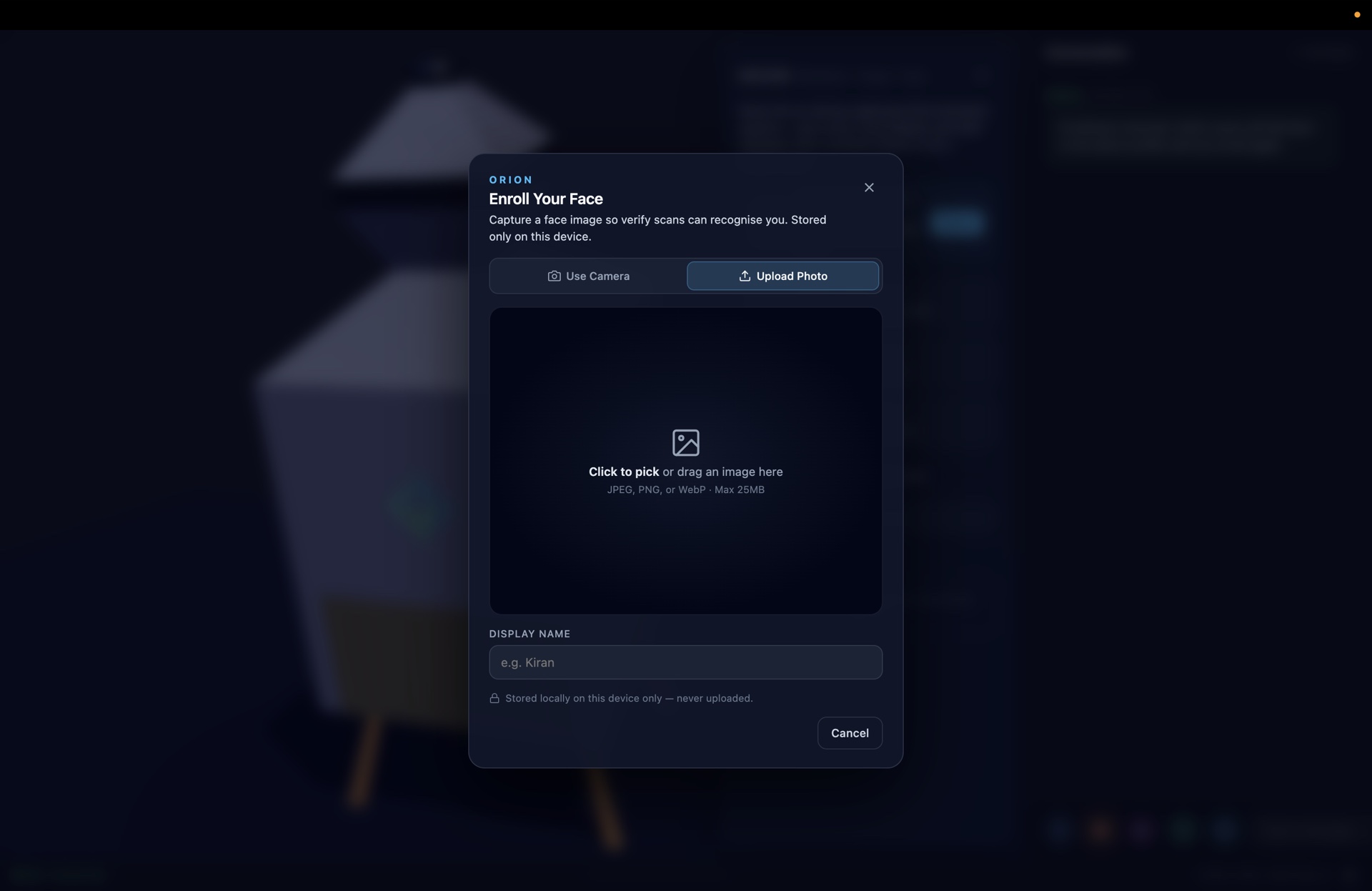
Enroll once. Stored on the device only.
Enrolling a face is a 30-second flow — capture from camera or upload an existing photo, label it, and Omnia keeps the embedding on the device. Never uploaded. Never crossed-tenant. Auditable by construction.
dev.lightleap.ai
"Stored locally on this device only — never uploaded." That's the contract.
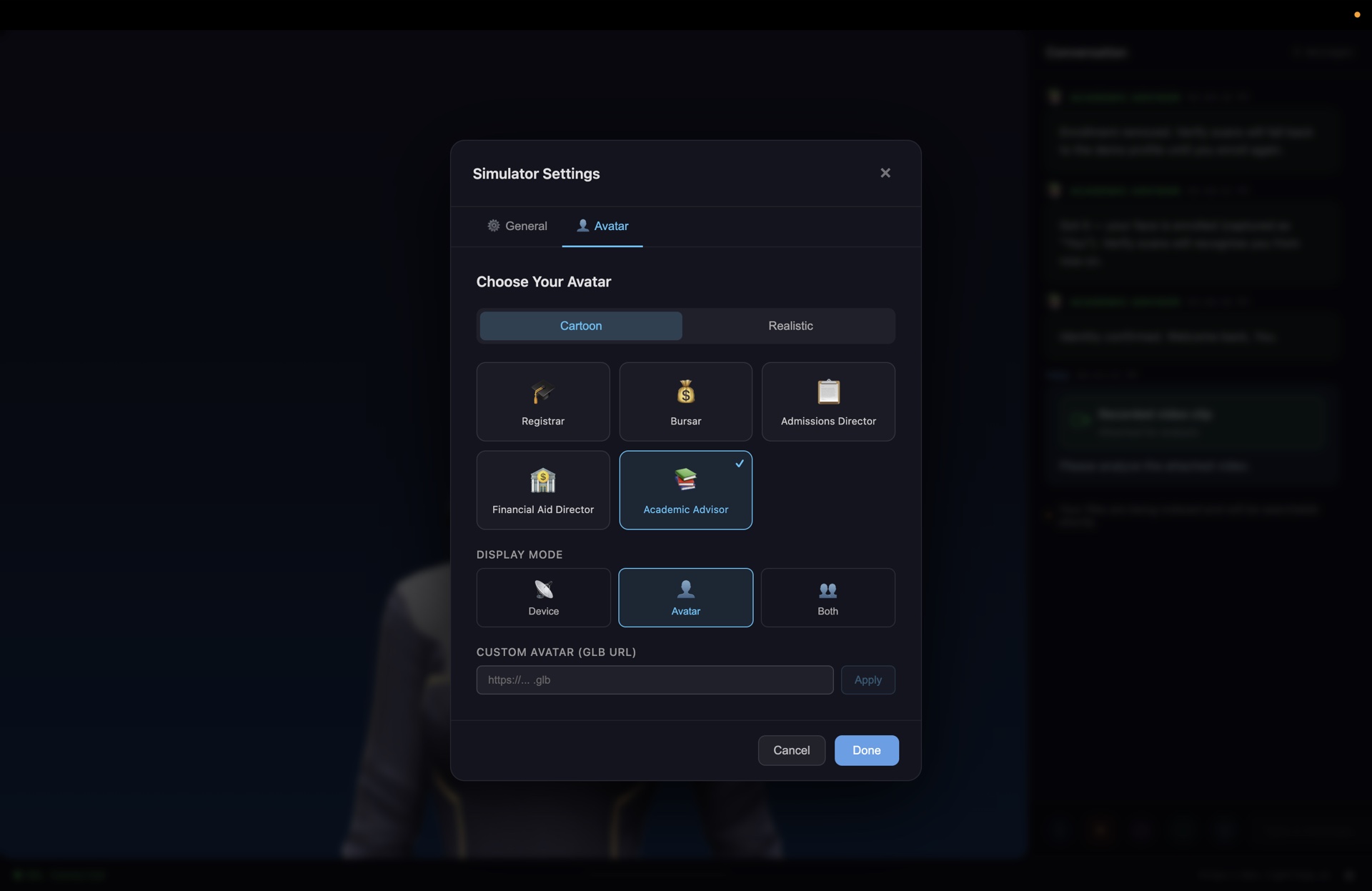
05 / 07·Simulator · Avatar
Pick a persona for your front-of-house.
Registrar, Bursar, Admissions Director, Financial Aid Director, Academic Advisor — every Omnia install ships with the LightLeap persona library. Cartoon or realistic. Device, Avatar, or Both. Custom GLB if you brought your own.
dev.lightleap.ai
Five default personas. Custom GLB. Device · Avatar · Both.
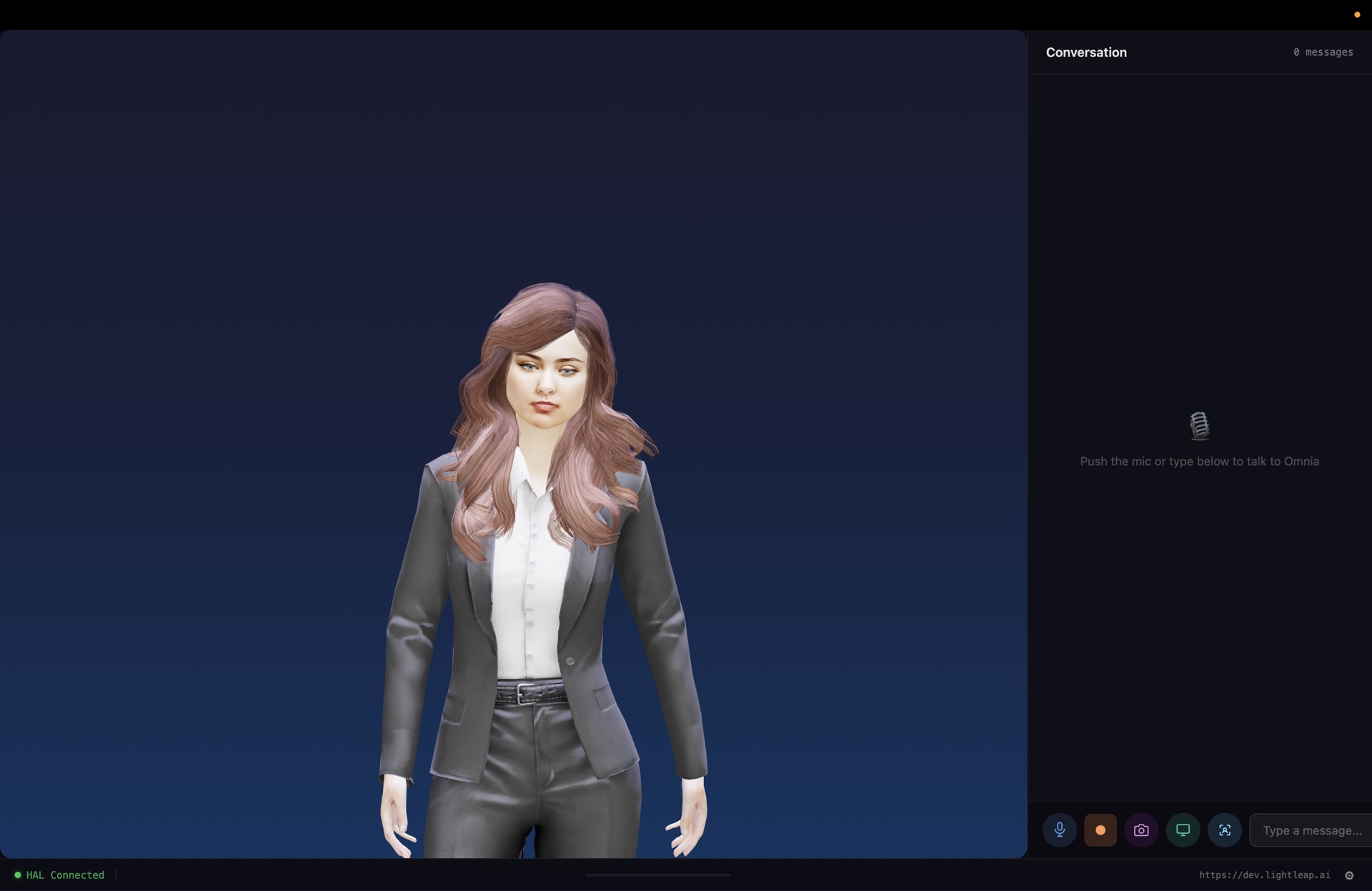
06 / 07·Avatar · Idle
A face on the front desk, 24/7.
Switch the display mode to Avatar and Omnia presents a calm, life-sized advisor on the kiosk. Same governed knowledge, same audit trail — just a face students recognize instead of a chat bubble.
dev.lightleap.ai
Avatar mode. Same brain. New face.
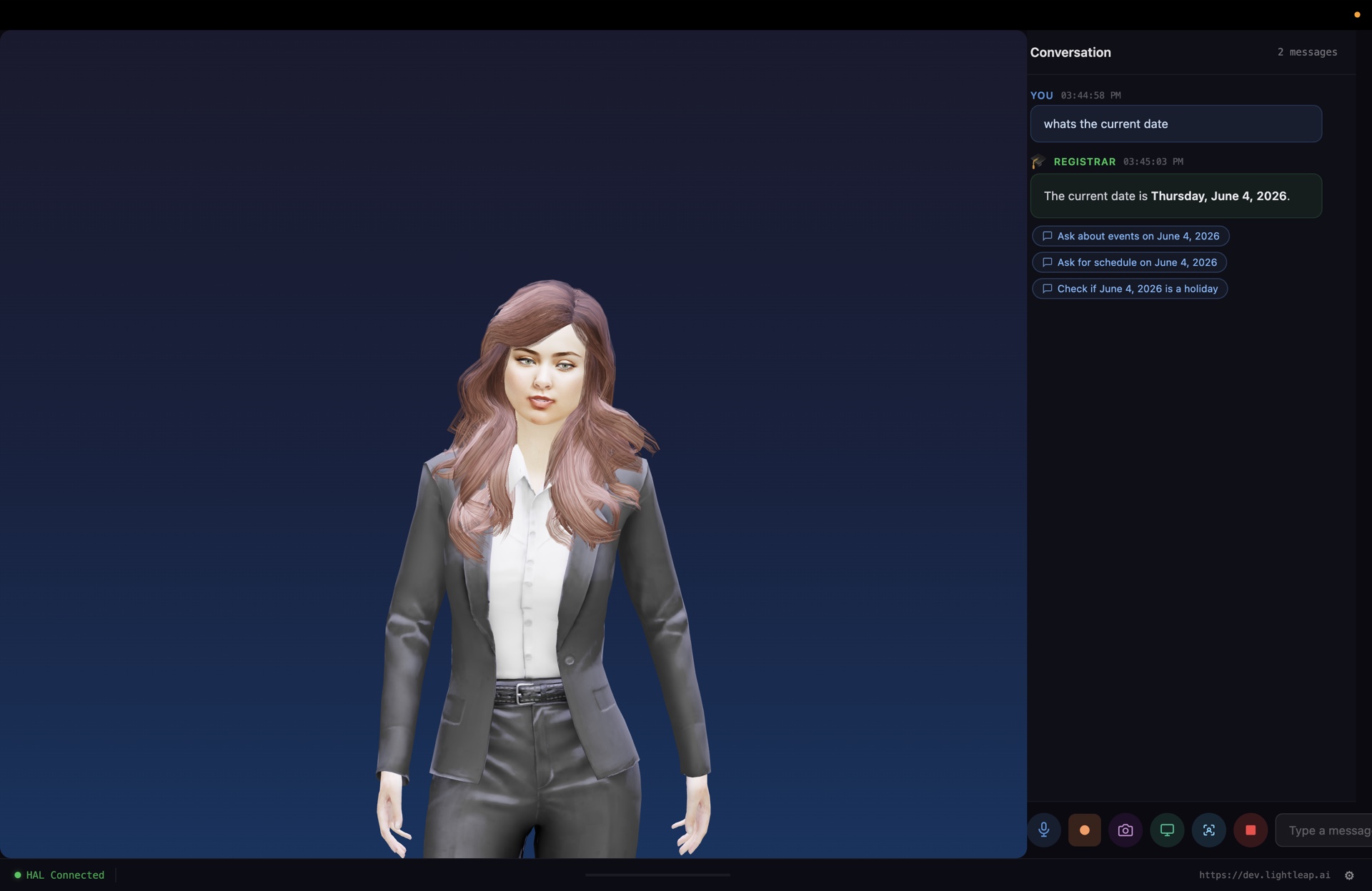
07 / 07·Avatar · Active
Conversation, with the persona answering.
A student asks the kiosk "what's the current date" — the avatar speaks the answer, and quick-reply chips ("Ask about events on June 4" / "Ask for schedule" / "Check if it's a holiday") keep the conversation moving without a keyboard.
dev.lightleap.ai
Persona-led replies. Quick-reply chips. No keyboard required.
Now your turn
Stop reading dashboards. Start a conversation with Omnia.
Pre-release pricing, full-stack governance, and a kiosk-or-desk install path that's ready to ship — sign up for the pre-release group below.