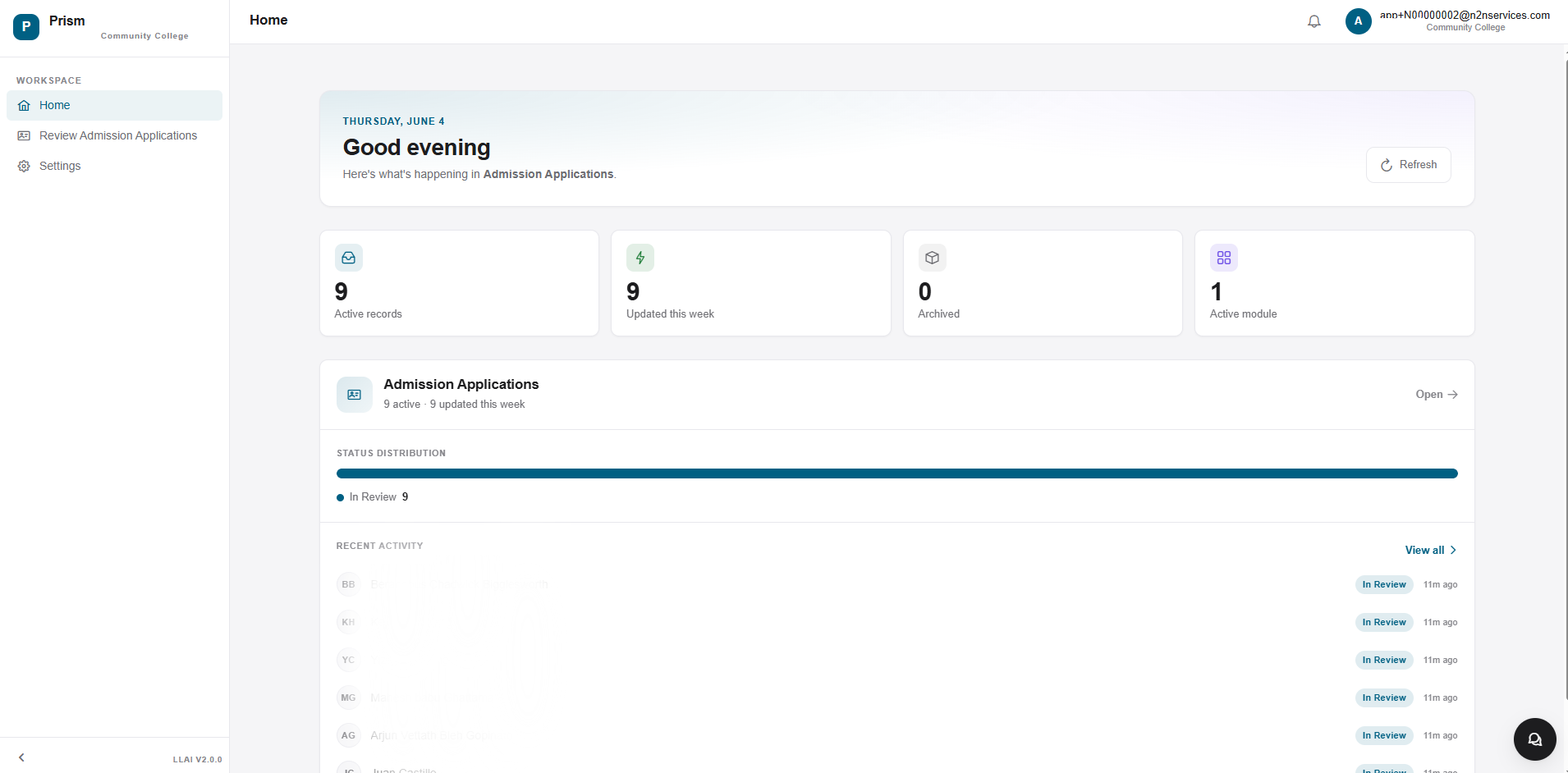
01 / 07Home
The week, at a glance.
Active records, what was updated this week, what was archived, what modules are live, and the recent activity stream — Prism opens to the answer to "what should I look at first?"
prism.lightleapai.com
Colleges don’t hire staff to enter data — they hire them to change lives. Yet every day, hours are lost to paperwork that technology can handle in seconds. Meet Prism, the document-intelligence feature of the Meridian platform.
Prism reads applications and supporting documents with AWS Textract OCR and Bedrock (Claude) extraction, then routes every field through confidence-scored, human-in-the-loop review — so staff verify instead of re-key. It runs on the same Meridian platform as the rest of your stack: multi-tenant, configurable without code, and audited from line one.
Manual inputs derail real-time document intelligence needs.
Hundreds of hours are spent processing documents instead of supporting students.
Transcripts, applications, and forms arrive in multiple formats—PDFs, scans, or handwritten pages.
Slow turnaround times, errors, compliance risks, and staff burnout compound over time.
Staff are required to manually read, verify, re-verify, and re-enter data into multiple systems.
Time to complete manual processes often compromises staff morale impacting culture and effectiveness.
What Prism actually does to every document you hand it.
AWS Textract reads the page; Bedrock (Claude) extracts the fields. Together they turn PDFs, scans, and images — including handwritten and low-quality files — into structured data.
Each extracted value carries an OCR confidence score, banded high / medium / low, so reviewers know exactly where to look instead of re-reading the whole document.
Pipelines, field schemas, review layouts, and extraction prompts are versioned per tenant as configuration — new document types go live without a release.

Actionable data systems established through document intelligence and structured data. AI simplifies reviews, with fewer manual steps delivering faster outcomes with trusted data.
Automatically ingests documents from uploads, e-portals, scanners, and integrations into a unified pipeline.
Extracts structured and unstructured data from PDFs, images, and scanned documents—including handwritten and low-quality files.
Pushes validated data straight into your student system — Banner, Illuminate, or Ellucian Colleague — so the Approve action ends manual re-entry.
Identifies document types (forms, transcripts, IDs, letters, etc.) with high accuracy using ML models.
Applies rules and AI confidence scores to validate extracted fields and flag uncertain data for review.
Supports advisor or staff review for exceptions, corrections, and approvals while continuously improving AI accuracy.
Document intelligence workflows that deliver trusted data with fewer manual steps.
Documents are received through uploads, portals, scanners, or system integrations and captured in a centralized repository.
AI automatically detects document type and structure to determine the correct extraction and processing logic.
Key fields, tables, and text are extracted using AI models trained for institutional and compliance documents.
Extracted data is validated against rules, confidence thresholds, and existing records to ensure accuracy and completeness.
Low-confidence fields or exceptions are routed to staff for expedited review and correction with full document context.
Clean, structured data is securely delivered to downstream systems or workflows, enabling faster decisions and processing.
Document Protection
Enabled
These are real Prism screens. Watch how an admissions PDF moves from upload to advisor-ready record — with confidence scores on every field and no re-keyed data — all on the Meridian platform.
Active records, what was updated this week, what was archived, what modules are live, and the recent activity stream — Prism opens to the answer to "what should I look at first?"
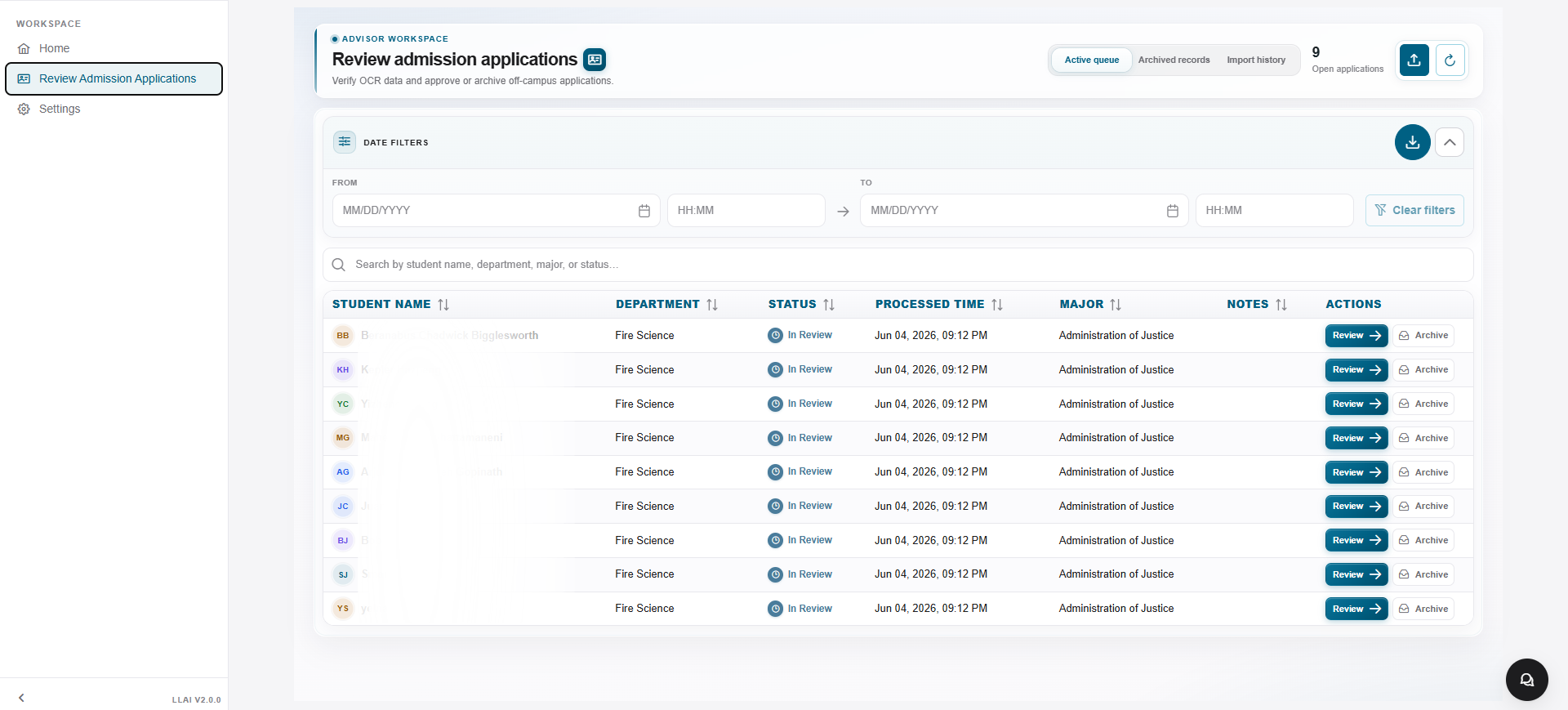
Date filters, full-text search across name / department / major / status, an action column to Review or Archive, and an export hatch — the advisor workspace built for two-hour shifts not two-week backlogs.
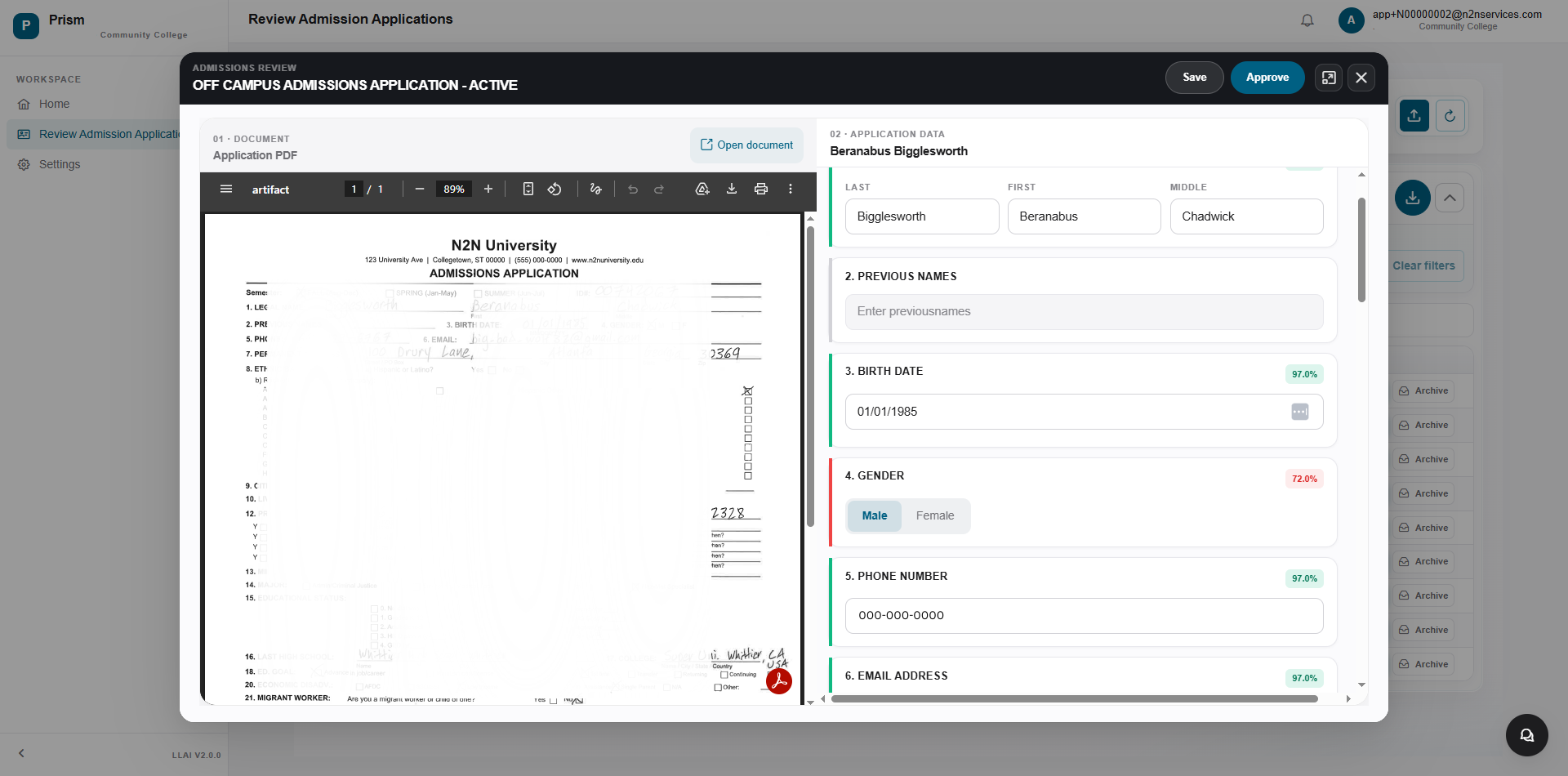
Open an application and Prism splits the screen: the scanned document on the left, the structured extraction on the right, with per-field confidence scores so the advisor knows where to look. Save / Approve / X — no third tool.
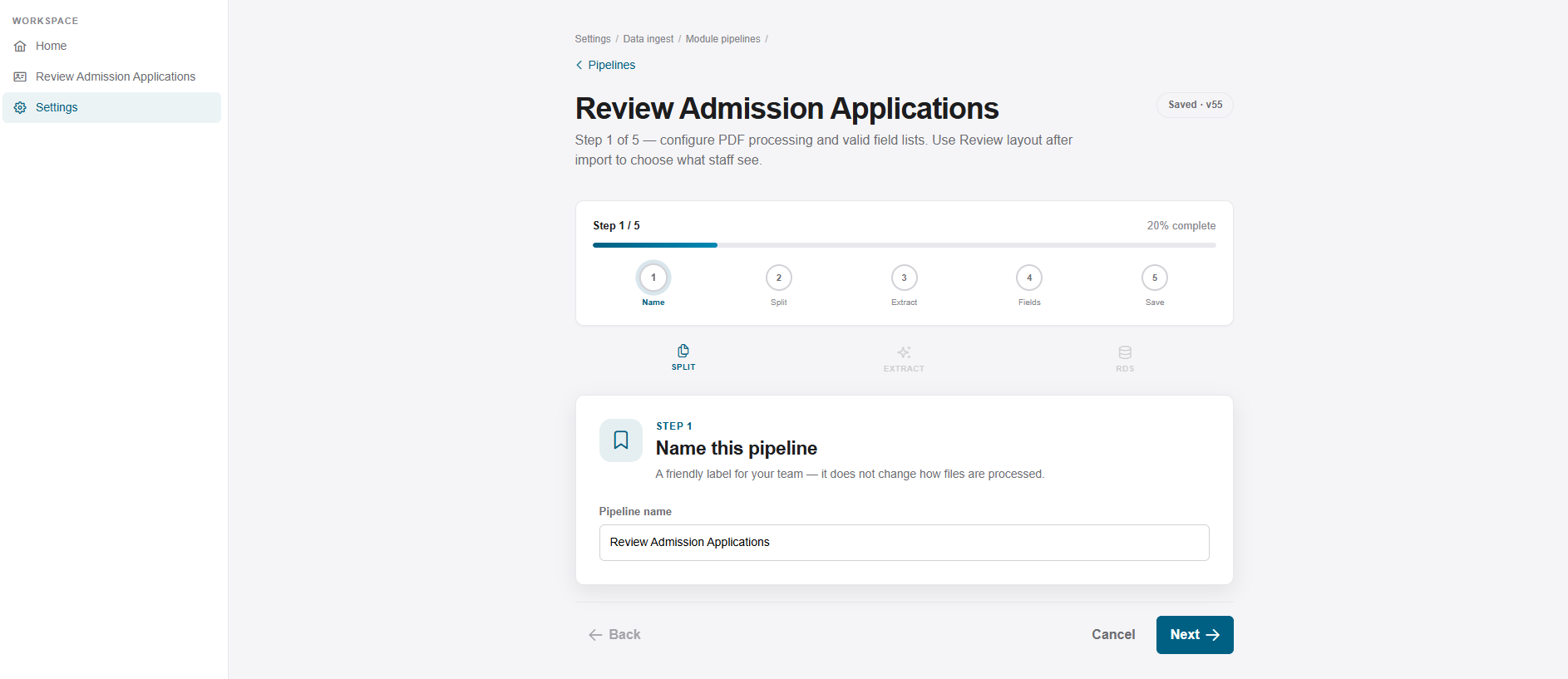
Name → Split → Extract → Fields → Save. The Prism wizard walks an admin through naming the pipeline, choosing PDF processing, picking an extraction prompt, declaring the fields, and saving the workflow — with no programmer.
Define list columns, review-dialog fields, PDF/Left/Right layout, Save and Approve buttons, and per-field show/hide. Prism keeps a live preview on the right so admins know exactly what the advisor will see before saving.
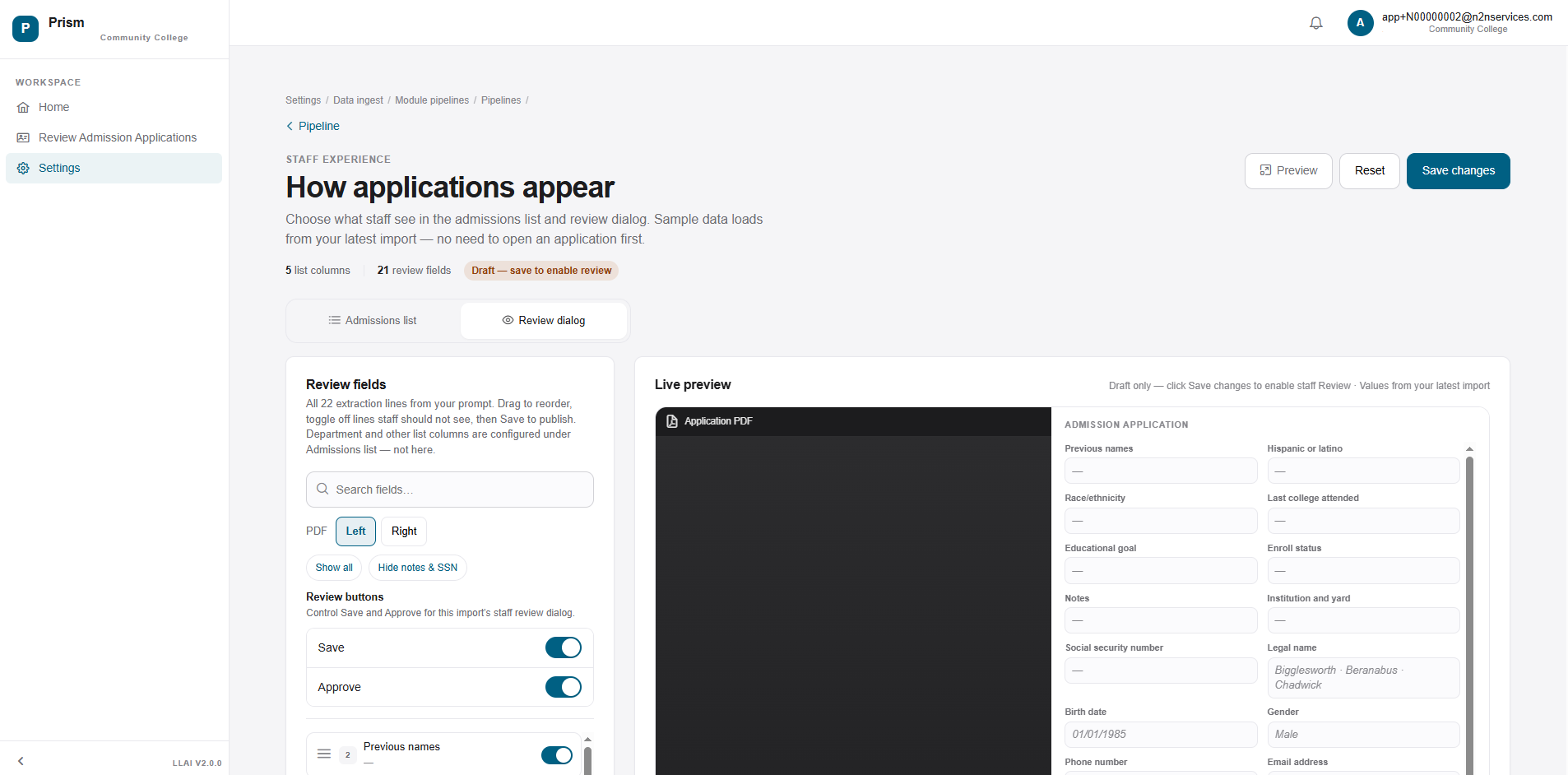
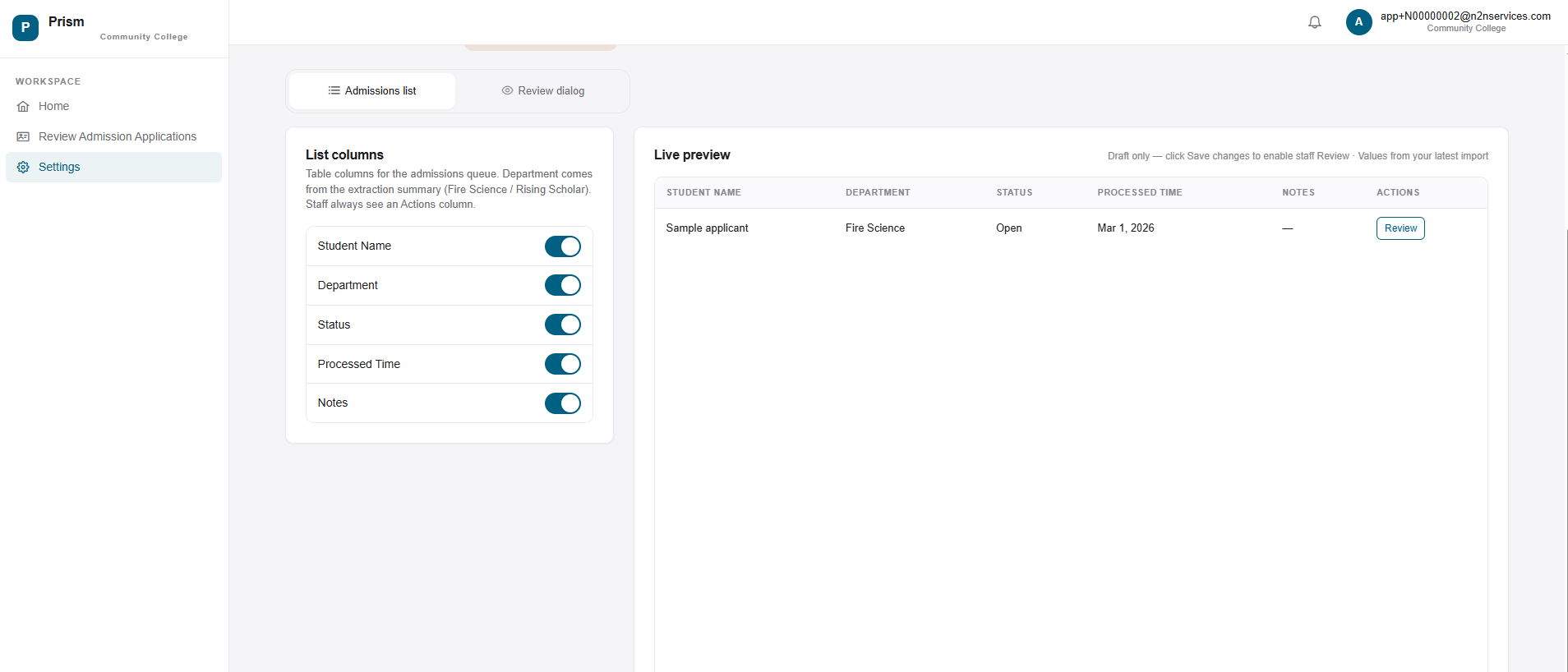
Toggle the columns staff see in the queue. Department, Status, Processed Time, Notes — toggle them on, save, and watch the live preview update with values from your latest import.
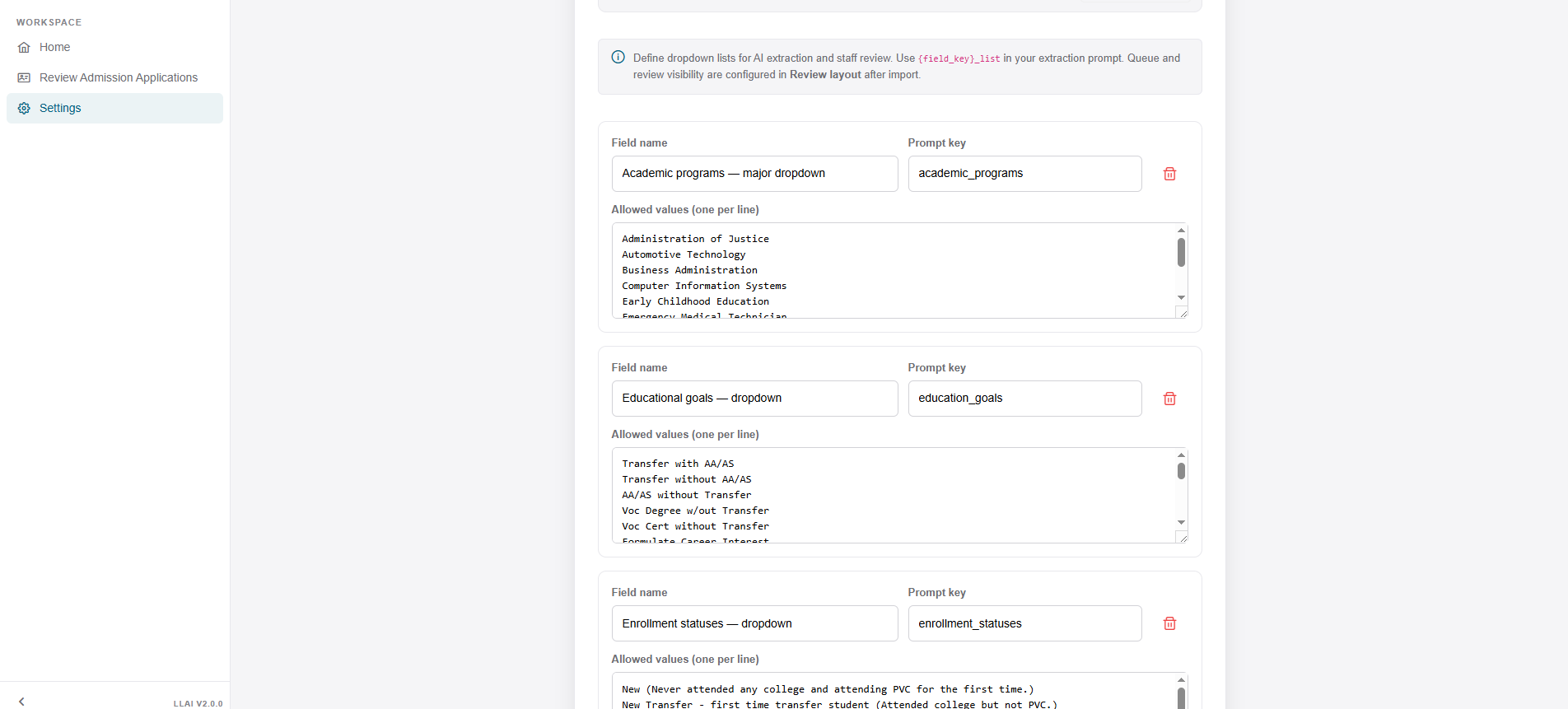
Define field names and prompt keys; paste allowed values one per line; mix free-text fields with controlled vocabularies. Prism uses these as the AI's source of truth — so "Administration of Justice" never becomes "AOJ" downstream.
Hand Prism a folder of PDFs and an extraction prompt. Watch it deliver a clean, scored advisor queue — and stay there as the work gets cleaner every week.


Light Leap AI completely transformed our admissions process for Rising Scholars. What once took weeks of manual paperwork is now efficient, accurate, and lets our staff focus on what matters most. We’re truly happy with the results and excited to grow our partnership.
Clint Cowden
Assistant Superintendent/Vice President of Instruction & Student Services, Palo Verde College
We have been working with the N2N team for some time now and couldn’t be happier with their service and expertise. They’ve surpassed all our expectations.
Cem Erdem
CEO, AuguSoft Inc.
LightLeapAI ® virtually eliminated our fraudulent enrollment problem overnight, giving us real students, renewed faculty trust, and renewed hope for our college’s future. We’re truly grateful for their swift and effective partnership.
Dr. Jeannie Kim
President, Santiago Canyon College
The new fraud detection product doubled our ability to stop fraud, saves our teams time, and makes sure aid reaches real students. Integration was easy—even skeptics are now convinced. The product truly speaks for itself.
Dr. Jory Hadsell
Vice Chancellor of Technology, Foothill-De Anza Colleges
LightLeapAI ® automated our student services process, saving staff time, closing equity gaps, and ensuring students get quick access to the support they need. Our managers now respond instantly, making a real difference for our students.
Dr. Seher Awan
President, Mission College
I know how hard N2N team has worked to get us into position for the MyPath go-live. Please know we understand and respect the sacrifice of the N2N team to move BU forward.
Lee Johnston
Associate Vice Chancellor of Information Technology Services, Brandman University
Banner (R) Registration is a complex process and our system used to crash during critical registration periods. N2N's team assisted my campus with Performance testing the System and helped us create a reliable infrastructure for years to come.
Mia He
Director of Enterprise Systems, Wentworth Institute of Technology
The launch of the Brandman CBE Program is formally underway. I want to express appreciation to you and the N2N team for your leadership, commitment and good efforts to get us this far on our journey. Congratulations and many thanks, Kiran and team.
Phil Doolittle
Chief Financial Officer, Brandman University


Take Control. Create Opportunities. Reimagine Tomorrow...Today!

